Your Web Pages Should Have at Least Three Style Sheets
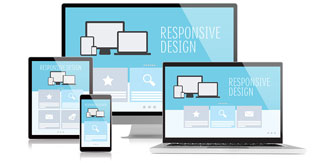
One for viewing the page on a computer screen, one for printing the page, and one for viewing on small form-factor devices or "handhelds". You reference them in the <head> of your document like this:
<link rel="stylesheet" type="text/css" media="screen" href="/screen.css" />
<link rel="stylesheet" type="text/css" media="print" href="/print.css" />
<link rel="stylesheet" type="text/css" media="handheld" href="/handheld.css" />
You need to use the link method to attach your style sheets, as wireless devices don't have to download those style sheets they don't need (in other words, the screen and print ones). Plus, many built-in browsers on cell phones don't support the @media and @import methods of loading style sheets.
The user-agent knows what type of media it can display, and will download and use the style sheet for that appropriate media type. For example, computer screens use "screen", print uses "print", and wireless handheld devices use "handheld".
Note: some wireless devices refuse to use the "handheld" media type, and instead display Web pages using the "screen" media type. Others ignore both style media types, so you might want to include a very basic style sheet at the top for "all" media types. And finally, some cell phones strip out all style information completely, leaving a page that is very simple.
The browser wars continue, and the casualties are the Web designers (and the customers). My recommendation? Do what you can, and use the handheld media type to style for wireless devices. If you're feeling really ambitious, write to the manufacturers with cell phones that don't comply and complain.
What Your Wireless or Handheld CSS Should Include and Remove
When you're building CSS for handheld devices, the first thing you should do is remove all elements of the page that wireless devices can't use or don't support well. Do this by setting the display: none; style on those elements. For example, you might want to hide the larger ads and leave in only print ads. If you put a class of "scr_ad" on every large ad you can hide them from cell phones in your handheld CSS with this style property:
.scr_ad { display: none; }
These are the things you should consider omitting from the handheld version of your pages:
- images that are not legible below 160x320 resolution
- advertising - especially graphical and flash-based
- JavaScript - most phones don't handle JavaScript well, so it's a good idea to not display those sections of your site
- Large logos and navigation found at the top of the page
You should also include things on your handheld page (by setting the display: none; in your screen CSS document), such as:
- Smaller versions of your images
- Text advertising - this works great on a cell phone
- Text navigation links near the top of your page to jump to other sections of the page.
Wireless web design Tips
- Build your HTML using CSS style sheets so that the primary content comes first. Logos and navigation can be very slow to download on a phone.
- Avoid frames, pop-ups, and Flash, or hide these elements where possible as described above.
- Put alternative text on all images.
- Assume that your fonts won't be used.
- Don't rely on color for features (like "required" fields in forms) as some cell phones are still black and white.
- Use access keys to make your links more usable without a mouse.
آخرین مقالات طراحی سایت
- فایروال ها چگونه کار می کنند؟
- همه چیز در مورد PageRank گوگل
- روند زندگی یک دامنه
- معرفی انواع دامنه اینترنتی (Domain)
- مالتی مديا چیست؟
- هاست چیست ؟
- دامین چیست؟
- 10 دلیل برتر برای خرید دامنه Tel.
- Disabling the Image Toolbar in IE 6 for Your Site
- Two Common Web Design Myths
- How to Add Background Music to Your Web Page
- How to Set Up A Custom 404 File Not Found Page
- Should I Display an Email Address on My Site or Use a Contact Form?
- 6 Things to Note Before Changing Your Site Design
- What's The Difference Between Liquid, Elastic, Relative, Fluid, Flexible and Fixed Layouts?
- What Sort of Website Should I Create In Order to Earn Money?
- 10 اشتباه نابخشودنی تبلیغات اینترنتی
- چرا ظاهر یک سایت به اندازه برنامه نویسی آن با اهمیت است؟
- مزایای تجارت الکترونیک نسبت به تجارت سنتی
- Starting an Online Business Directory - A Great Way to Get Links
دانلود رایگان کتابهای طراحی سایت
- Developers Guide to Web Application Security
- HTML and XML for Beginners
- PHP 5 in Practice
- Expert SQL Server 2008 Development
- Implementing SOA Using Java EE
- Creating Cool Web Sites With HTML, XHTML, And CSS
- Foundation Joomla!
- Web Design for Developers
- Joomla! with Flash
- WordPress MU 2.8: Beginner's Guide
- The Art and Science of Web Design
- Neuro Web Design: What Makes Them Click?
- Build Your Own ASP.NET 2.0 Web Site Using C# & VB
- Visual Design for the Modern Web
- The Web Startup Success Guide
- Building Social Web Applications
- Ajax for Web Application Developers
- HTML, XHTML, and CSS, Sixth Edition
- Professional ASP.NET 2.0 AJAX
- ASP.NET AJAX in Action