Space and Whitespace
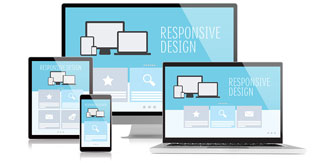
Use the whole space, but don't be specific in your use. In other words, use relatively sized layout sections on your Web pages, so that they expand and contract to fit the browser window.
Keep screen resolution in mind. While the majority of computer users have moved away from 640x480 resolution, keep that in mind when you're designing. Having customers leave because all they can see is a logo on their monitor is not good customer service.
Use color to define spaces. If you want to have a page that's a specific width, why not center it on the browser screen and make the background color of the page a different color? This will help the page appear to resize for different browsers; larger browsers will just have more background color showing, while smaller browsers will have less or none showing.
Images and Graphics
Align your images. One of the most common newbie layout mistakes is to slap images into a page willy-nilly without thought to layout. If you just use an img tag and then write text to follow it, you'll have the image and then one line of text to the right of it. Using the align attribute will help make your images part of the layout.
Balance the graphics and text on a page. It's easy to get carried away with lots of images and animations, but they can make a page very hard to read. When you're considering your layout, remember that images are a major part of the design, not just afterthoughts.
Text Width
Think about text width. This is often called the "scan length", and refers to how many words are displayed on one line. Most people can comfortably read about 7 to 11 words on a line. Longer than that, and the text is hard to read, shorter than that and it's disjointed and distracting. When designing your layouts make sure that the major text area displays the text in a readable width.
Centering text is inadvisable. One of the first layout techniques that a new designer learns is the center tag, and they center everything on their pages. However, centering is very difficult to do well and it's often hard to read.آخرین مقالات طراحی سایت
- فایروال ها چگونه کار می کنند؟
- همه چیز در مورد PageRank گوگل
- روند زندگی یک دامنه
- معرفی انواع دامنه اینترنتی (Domain)
- مالتی مديا چیست؟
- هاست چیست ؟
- دامین چیست؟
- 10 دلیل برتر برای خرید دامنه Tel.
- Disabling the Image Toolbar in IE 6 for Your Site
- Two Common Web Design Myths
- How to Add Background Music to Your Web Page
- How to Set Up A Custom 404 File Not Found Page
- Should I Display an Email Address on My Site or Use a Contact Form?
- 6 Things to Note Before Changing Your Site Design
- What's The Difference Between Liquid, Elastic, Relative, Fluid, Flexible and Fixed Layouts?
- What Sort of Website Should I Create In Order to Earn Money?
- 10 اشتباه نابخشودنی تبلیغات اینترنتی
- چرا ظاهر یک سایت به اندازه برنامه نویسی آن با اهمیت است؟
- مزایای تجارت الکترونیک نسبت به تجارت سنتی
- Starting an Online Business Directory - A Great Way to Get Links
دانلود رایگان کتابهای طراحی سایت
- Developers Guide to Web Application Security
- HTML and XML for Beginners
- PHP 5 in Practice
- Expert SQL Server 2008 Development
- Implementing SOA Using Java EE
- Creating Cool Web Sites With HTML, XHTML, And CSS
- Foundation Joomla!
- Web Design for Developers
- Joomla! with Flash
- WordPress MU 2.8: Beginner's Guide
- The Art and Science of Web Design
- Neuro Web Design: What Makes Them Click?
- Build Your Own ASP.NET 2.0 Web Site Using C# & VB
- Visual Design for the Modern Web
- The Web Startup Success Guide
- Building Social Web Applications
- Ajax for Web Application Developers
- HTML, XHTML, and CSS, Sixth Edition
- Professional ASP.NET 2.0 AJAX
- ASP.NET AJAX in Action