How Most People Browse the Web
Most people come to a Web page and skim. If it doesn't look like what they needed to learn or wanted to read about, they leave. And the quickest route out of any Web site is, you guessed it, the Back Button.
In fact, most people don't even realize they're doing it. They sit at a Web site with their mouse hovering over the scroll-bar area, just in case they need to scroll the page. Then, unless something really interesting comes along, they pull their mouse up to the upper left side of the browser and go back to their previous location.
Web Designers Can Impact This
Negatively!
You might be thinking, "but I don't want them to leave." And many designers do think that. So they do things like pop their site in a chrome-less window (ie. no back button). I've even seen sites actually go so far as to close down the original window and open the site in a window without controls. This is annoying. And it doesn't make your site more usable, it makes it less usable. Because the standard methods that your customers use to get around are blocked. Once they figure out how to get out of your site, they'll leave, and not return.
Don't take away the back button from your readers. You won't stop them from leaving, but you might stop them from coming back.
Take Advantage of the Back Button
Now, I am not, by any means, advocating that you suggest in your text things like "click the back button in your browser to go back." Most people know that already, and your saying it sounds, well, stupid at best. Instead, be aware that your customers want to use the back button, and plan for it. For example:
- Place your branding up near the back button
While most people don't really need to look when they're clicking back, placing your brand up there will get it more attention when they leave. - Make items in that area clickable
Your logo should be clickable, but other text elements that are in the upper left area of your page should be clickable as well. That way, if they miss the back button, they might go somewhere else useful on your site. - Use server logs to find out where they came from
If you know what they're going back to, you can address that right on the page, perhaps even with dynamic elements that only display when they come from that location. For example, someone coming from a search engine might not know the best ways to search your site. If you include details like how to search on the pages when they come from a search engine you might get them to stay longer.
آخرین مقالات طراحی سایت
- فایروال ها چگونه کار می کنند؟
- همه چیز در مورد PageRank گوگل
- روند زندگی یک دامنه
- معرفی انواع دامنه اینترنتی (Domain)
- مالتی مديا چیست؟
- هاست چیست ؟
- دامین چیست؟
- 10 دلیل برتر برای خرید دامنه Tel.
- Disabling the Image Toolbar in IE 6 for Your Site
- Two Common Web Design Myths
- How to Add Background Music to Your Web Page
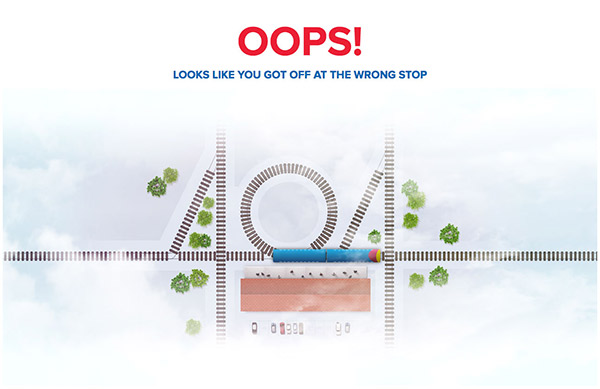
- How to Set Up A Custom 404 File Not Found Page
- Should I Display an Email Address on My Site or Use a Contact Form?
- 6 Things to Note Before Changing Your Site Design
- What's The Difference Between Liquid, Elastic, Relative, Fluid, Flexible and Fixed Layouts?
- What Sort of Website Should I Create In Order to Earn Money?
- 10 اشتباه نابخشودنی تبلیغات اینترنتی
- چرا ظاهر یک سایت به اندازه برنامه نویسی آن با اهمیت است؟
- مزایای تجارت الکترونیک نسبت به تجارت سنتی
- Starting an Online Business Directory - A Great Way to Get Links
دانلود رایگان کتابهای طراحی سایت
- Developers Guide to Web Application Security
- HTML and XML for Beginners
- PHP 5 in Practice
- Expert SQL Server 2008 Development
- Implementing SOA Using Java EE
- Creating Cool Web Sites With HTML, XHTML, And CSS
- Foundation Joomla!
- Web Design for Developers
- Joomla! with Flash
- WordPress MU 2.8: Beginner's Guide
- The Art and Science of Web Design
- Neuro Web Design: What Makes Them Click?
- Build Your Own ASP.NET 2.0 Web Site Using C# & VB
- Visual Design for the Modern Web
- The Web Startup Success Guide
- Building Social Web Applications
- Ajax for Web Application Developers
- HTML, XHTML, and CSS, Sixth Edition
- Professional ASP.NET 2.0 AJAX
- ASP.NET AJAX in Action